
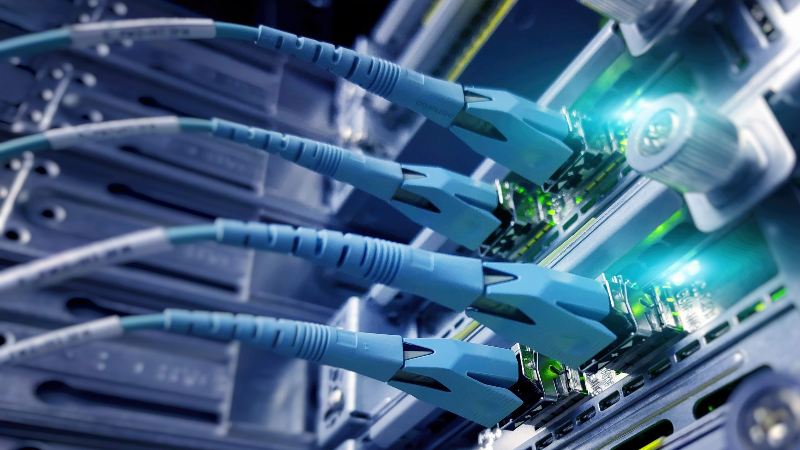
In today’s connected world, home electronics have become essential to daily life, supporting everything from remote work to smart home automation and entertainment. Yet, these devices remain vulnerable to unexpected power outages, voltage fluctuations, and electrical surges that can cause data loss or permanent damage. When searching for ways to safeguard their investments, many homeowners turn to Uninterruptible power supply components as a reliable solution for uninterrupted power and equipment protection.
Understanding the Basics of Uninterruptible Power Supply
An Uninterruptible Power Supply (UPS) is a device designed to provide backup power to electronic equipment during a power outage. Unlike a generator, a UPS delivers instant power without interruption, giving users valuable time to save work, safely shut down devices, or keep critical systems running until the main power is restored. But what exactly happens inside a UPS that makes this possible? The answer lies in its specialized components, each playing a crucial role in protecting your electronics.
Key Components of a UPS and Their Protective Functions
To appreciate how a UPS shields home electronics, it’s important to recognize the main components working together within the system:
1. Battery
At the heart of every UPS is its battery. This component stores electrical energy and instantly supplies it to connected devices the moment an outage occurs. High-quality batteries are engineered for quick response and extended backup, ensuring your devices remain operational during both short and prolonged power interruptions.
2. Inverter
The inverter is responsible for converting the battery’s direct current (DC) into alternating current (AC), which is the form of electricity most household electronics require. This seamless conversion ensures that devices continue to operate normally, without any noticeable disruption, even as the power source switches from the grid to the UPS battery.
3. Rectifier/Charger
The rectifier, often paired with a charger, is the component that converts incoming AC power from the wall outlet into DC power to charge the UPS battery. It continuously monitors and maintains the battery’s charge level, ensuring it’s ready to provide backup power at a moment’s notice.
4. Transfer Switch
A transfer switch is responsible for detecting power loss and instantly switching the load from the main power source to the UPS battery. This automatic process occurs within milliseconds, preventing data loss and protecting sensitive electronics from sudden shutdowns.
5. Surge Protector and Filter
Many UPS systems include built-in surge protection and line filtering. These components shield connected devices from voltage spikes, surges, and electrical noise—all of which can occur even when the power is on. By smoothing out fluctuations, the UPS helps prolong the life of your electronics and preserves their performance.
How UPS Components Work Together to Protect Your Devices
When the main power supply is stable, the UPS allows electricity to flow through to your devices while simultaneously charging its battery. If a power outage, brownout, or surge occurs, the transfer switch activates, and the battery—through the inverter—begins supplying AC power to your electronics. The transition is so rapid that most devices, including computers and networking equipment, continue to function without interruption.
Additionally, the surge protector and filter work continuously, ensuring that even minor fluctuations or electrical noise do not harm your sensitive equipment. This multi-layered approach is particularly valuable for home offices, gaming setups, and any environment where data integrity and device longevity are priorities.
Choosing the Right UPS for Your Home Electronics
Selecting the appropriate UPS involves more than just picking a device off the shelf. Consider the following factors:
• Capacity : Calculate the total wattage of the devices you want to protect. Choose a UPS with a capacity that exceeds your needs for optimal performance.
• Runtime : Determine how long you need your devices to run during an outage. Some UPS models offer extended battery life for longer backup times.
• Outlets and Compatibility : Ensure the UPS has enough outlets and supports the types of plugs used by your electronics.
• Features : Look for additional features like LCD displays, automatic voltage regulation, and user-replaceable batteries for enhanced convenience and usability.
For more information on safeguarding your home electronics, visit this resource.
Maximizing the Benefits of UPS Protection
Proper installation and regular maintenance are key to getting the most from your UPS. Place the unit in a well-ventilated area, away from moisture and heat sources. Periodically test the UPS by simulating a power outage to ensure the battery and other components are functioning as expected. Replace batteries according to the manufacturer’s recommendations to maintain reliable backup power.
Final Thoughts
Understanding how each component inside a UPS works together provides peace of mind for anyone looking to protect their home electronics from power outages and surges. By investing in a quality UPS and maintaining it properly, you can guard against data loss, hardware damage, and downtime—ensuring your devices are always ready when you need them most. Taking these proactive steps will help safeguard your valuable electronics, keeping your home running smoothly regardless of what happens to the power grid.